
[intro] Under the EU Consumer Rights Directive, customers have a statutory 14-day cooling-off period to cancel online or distance purchases without giving a reason. In this guide, you'll learn how customers can initiate a withdrawal and how to process it on your EKM online shop. [/intro]
[summary]
[/summary]
Customers purchasing products or services online have a right to withdraw, meaning that they can cancel the contract within 14 days without providing a reason. This is commonly known as the 'cooling off' period. For goods this means 14 days from the date of the delivery, and for services this is 14 days after the day the contract was agreed. If the cooling off period expires on a non-working day, the deadline is extended until the next working day.
There are two ways that customers can withdraw from an order. They can opt to click the link in the footer of the Order Status Updates emails that they receive as their orders are being processed, or alternatively, via their account on your EKM online shop.
Common Exemptions
Some products and services are exceptions to this legislation:
- Plane, train and concert tickets, hotel bookings, car rental reservations and catering services for specific dates;
- Perishable Items: Goods that deteriorate or expire rapidly, such as fresh food, drinks with a short shelf life, or cut flowers;
- Unsealed Health and Hygiene Products: Sealed goods that are unsuitable for return due to health protection or hygiene reasons if they were unsealed by the consumer after delivery (e.g., opened cosmetics or underwear);
- Goods made to order or clearly personalised – such as a printed t-shirt or custom jewellery;
- Goods or services with fluctuating prices following global markets, such as household heating fuel;
- Fully delivered services, such as cleaning a terrace, if the customer expressly agreed to start immediately acknowledging you would lose the right of withdrawal;
- Sealed audio, video or computer software, such as DVDs, that the customer has unsealed;
- Online digital content, such as a song or movie, that the customer started downloading or streaming after they expressly agreed to their right of withdrawal by starting the performance;
- Urgent repairs and maintenance contracts, such as inviting a plumber to repair a leaking shower.
[tips] You can read more about the Right of Withdrawal on this website. [/tips]
Order Processing Email
1. When a customer has placed an email on your EKM online shop, they will receive a standard ‘order processing’ email. In the footer of this email, they can click the link to begin the withdrawal process: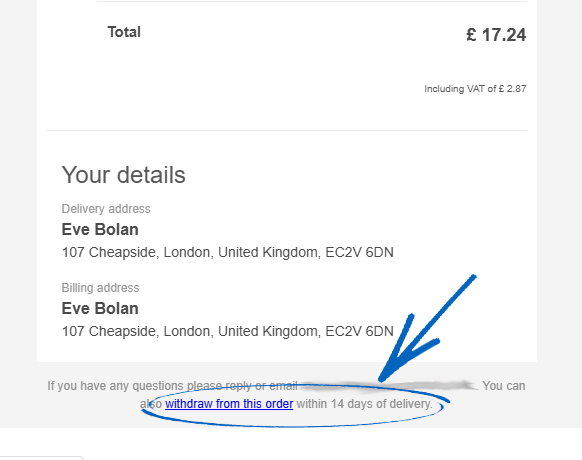
2. This will redirect them to this page, where they need to copy and paste the order number on the email and add the email address that they used when making the order: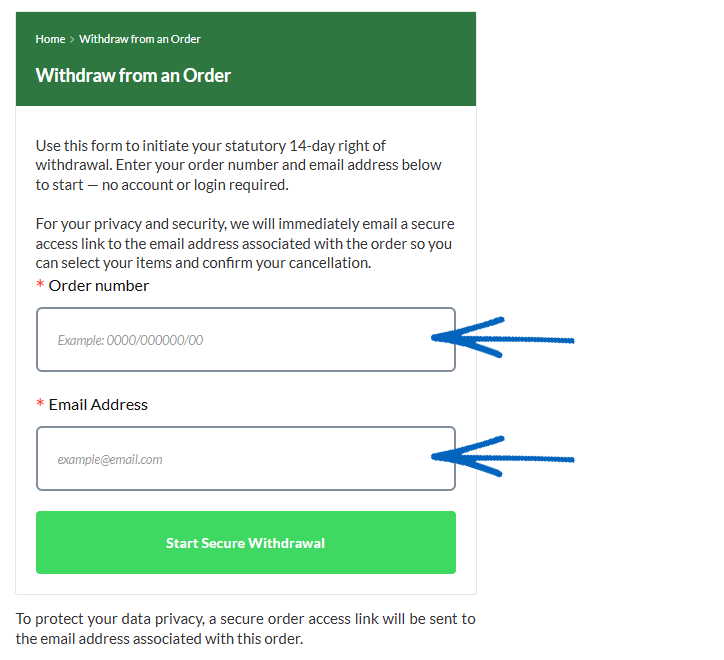
3. Then they need to click the Start Secure Withdrawal button: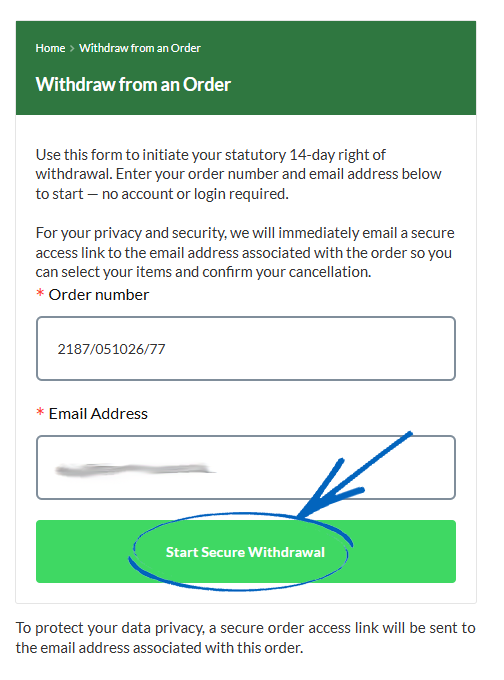
4. The customer will then see this notification: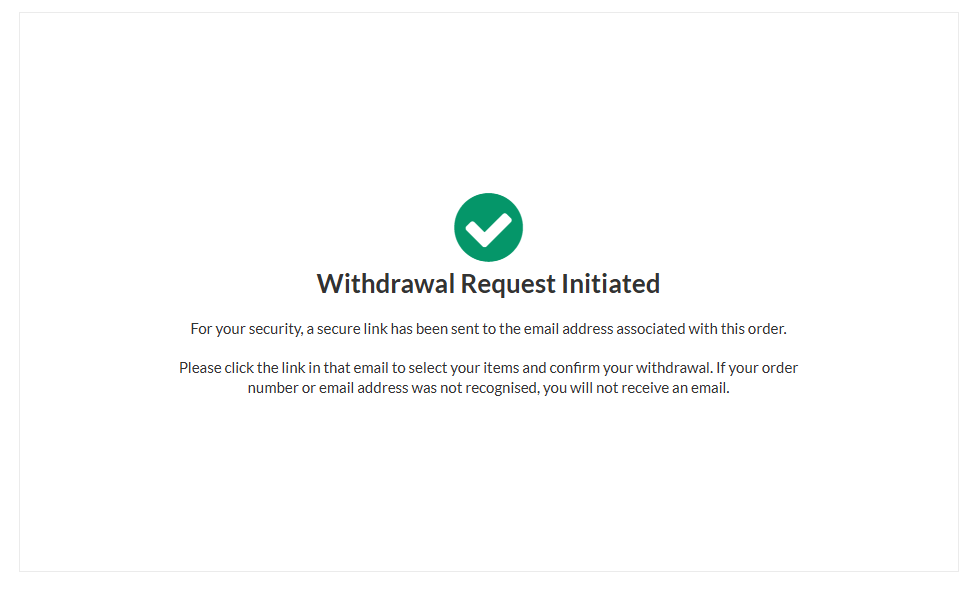
5. The customer will then receive an email like this. They just need to click the Access button within the email: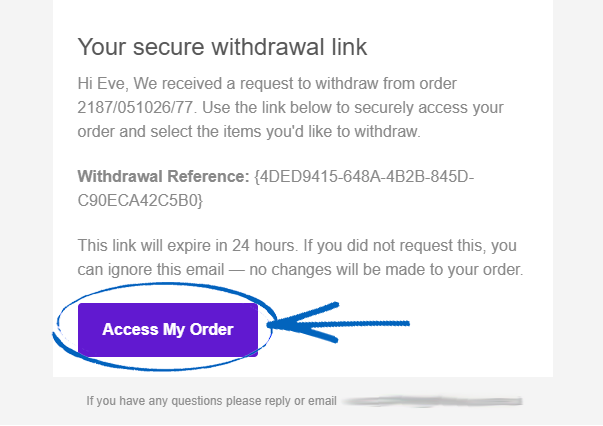
6. They will then be redirected to this page, where they need to tick the box next to the item they wish to withdraw, add a reason to the field provided – although this is optional – and then click the Continue button in the bottom right-hand corner: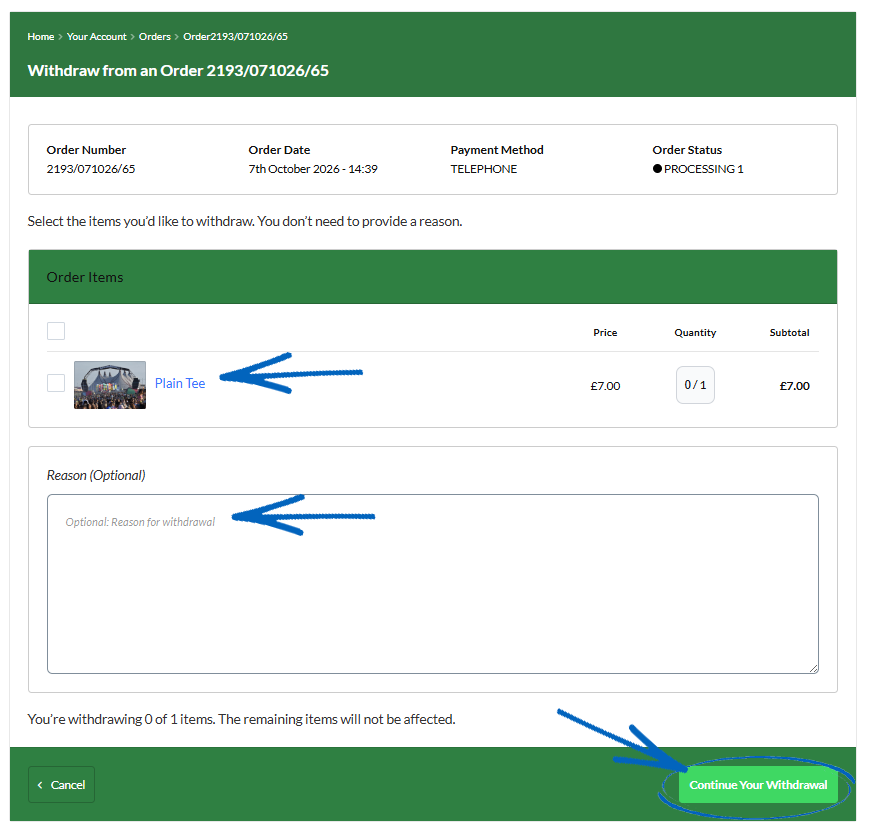
7. They will then see this notification: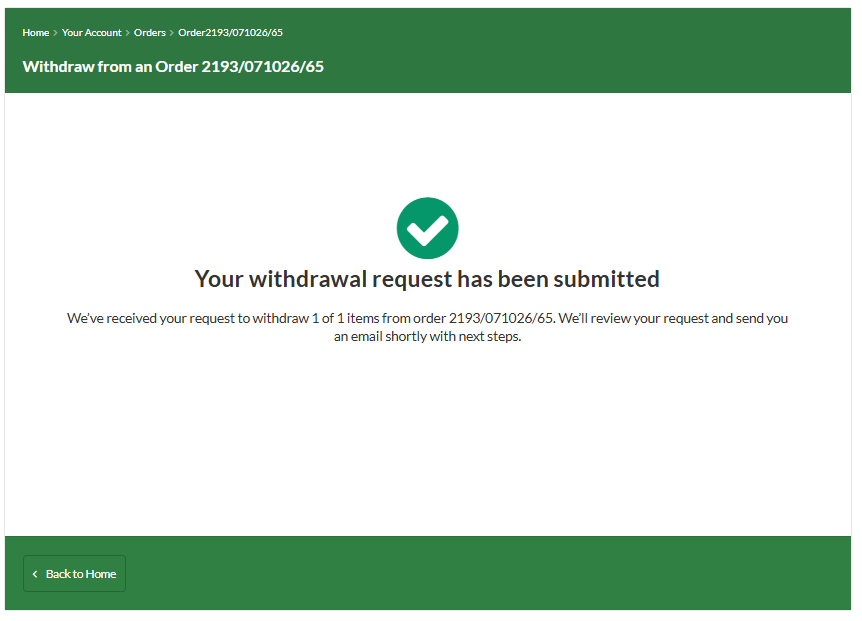
Within the Customer Account
1. If you use the Customer Login feature on your EKM online shop, your customers can also withdraw from orders there too. When they log into their account and view their orders, they will be able to click the Withdraw button for each order: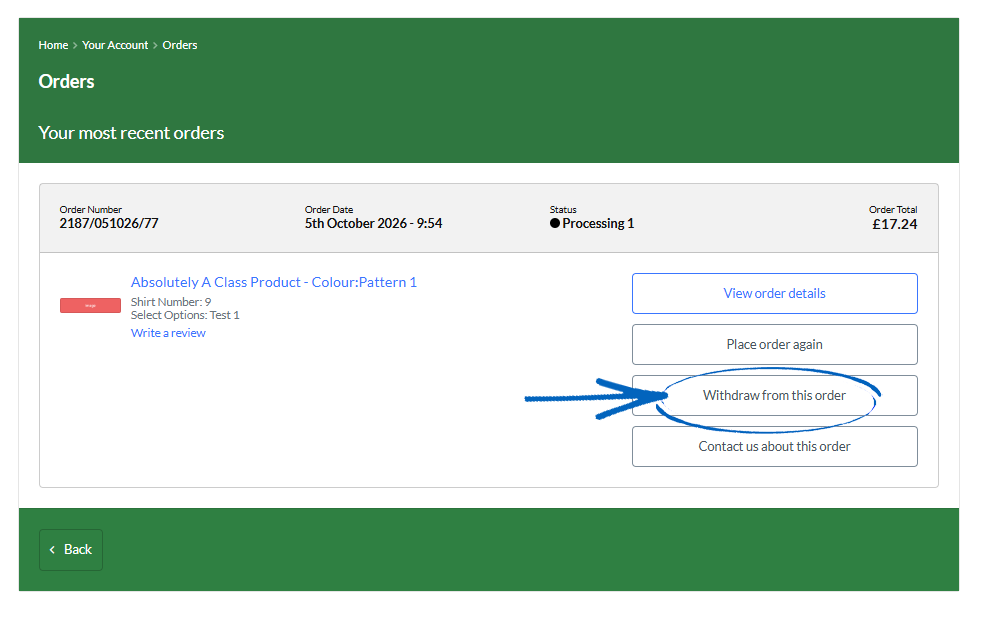
2. They then need to tick the box for the relevant products, add a reason to the field provided – although this is optional – and then click the Continue button in the bottom right-hand corner: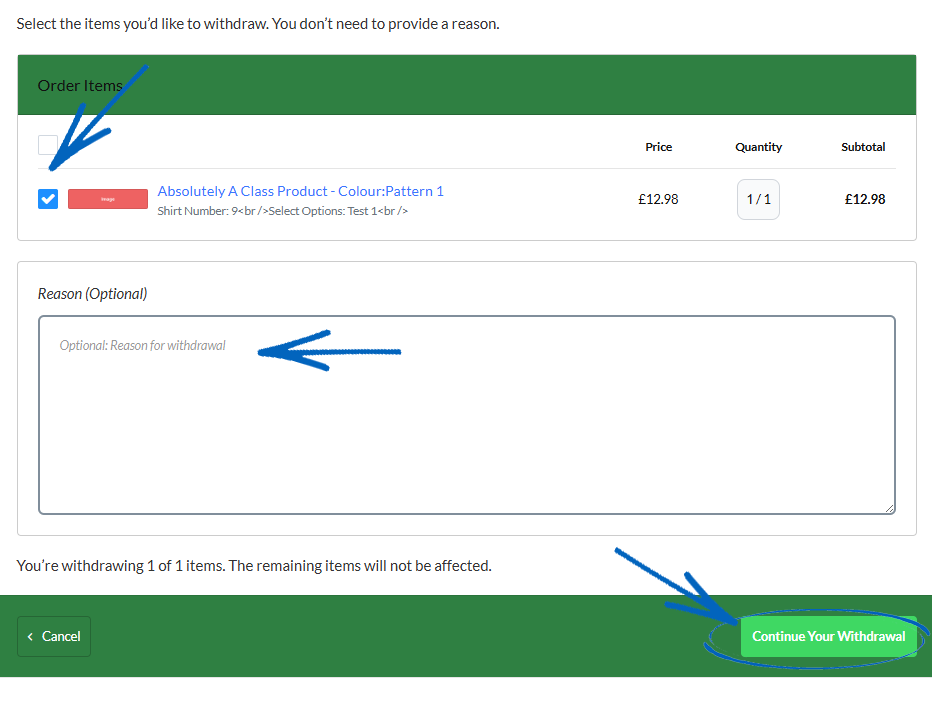
3. They’ll then be redirected to this page: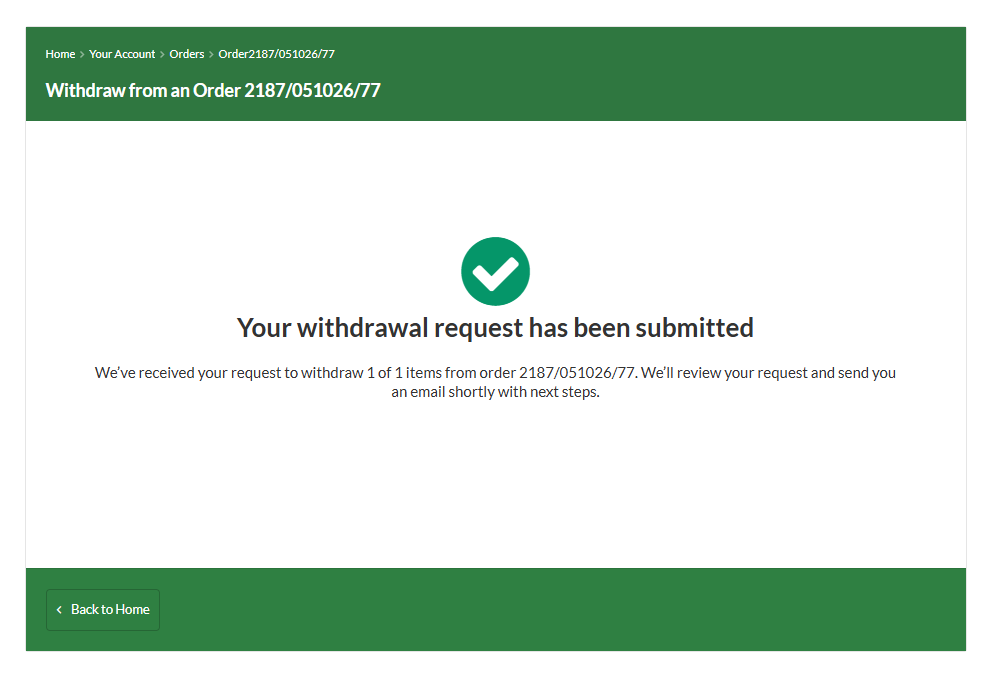
[tips] Clicking More Filters on the Orders page in the top right-hand corner allows you to quicky see which orders on your EKM online shop have withdrawal requests. [/tips]
Accepting a Withdrawal
1. When a customer has initiated a withdrawal, you’ll see this indicated on the order itself, in the form of a banner across the top of the page. Click the Review Request button: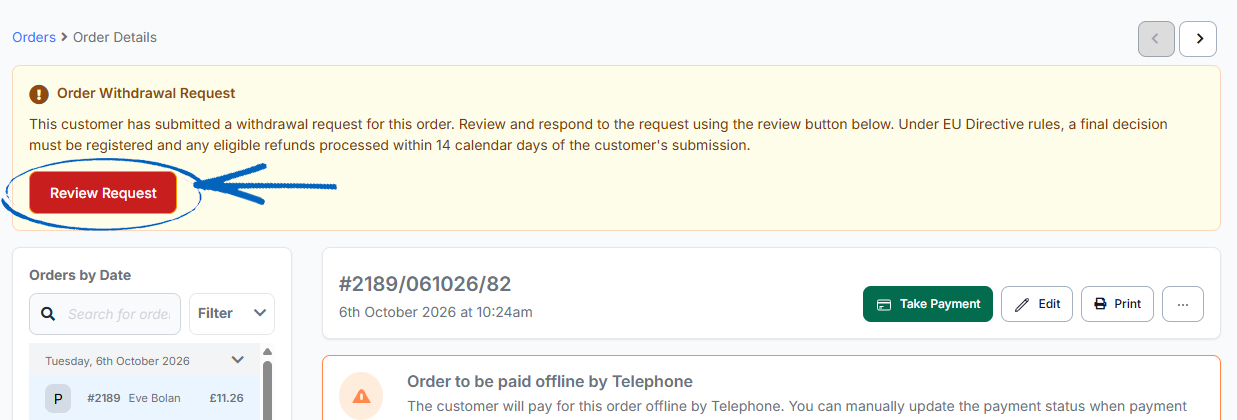
2. You’ll then be redirected to this page, where you’ll be able to view the customer’s reason for withdrawal, if they had added one. In the bottom right-hand corner, the Action drop-down menu allows you to either Approve or Reject the withdrawal. Make your selection accordingly, tick the box on the left-hand side, and then click the Finalise button in the bottom right-hand corner: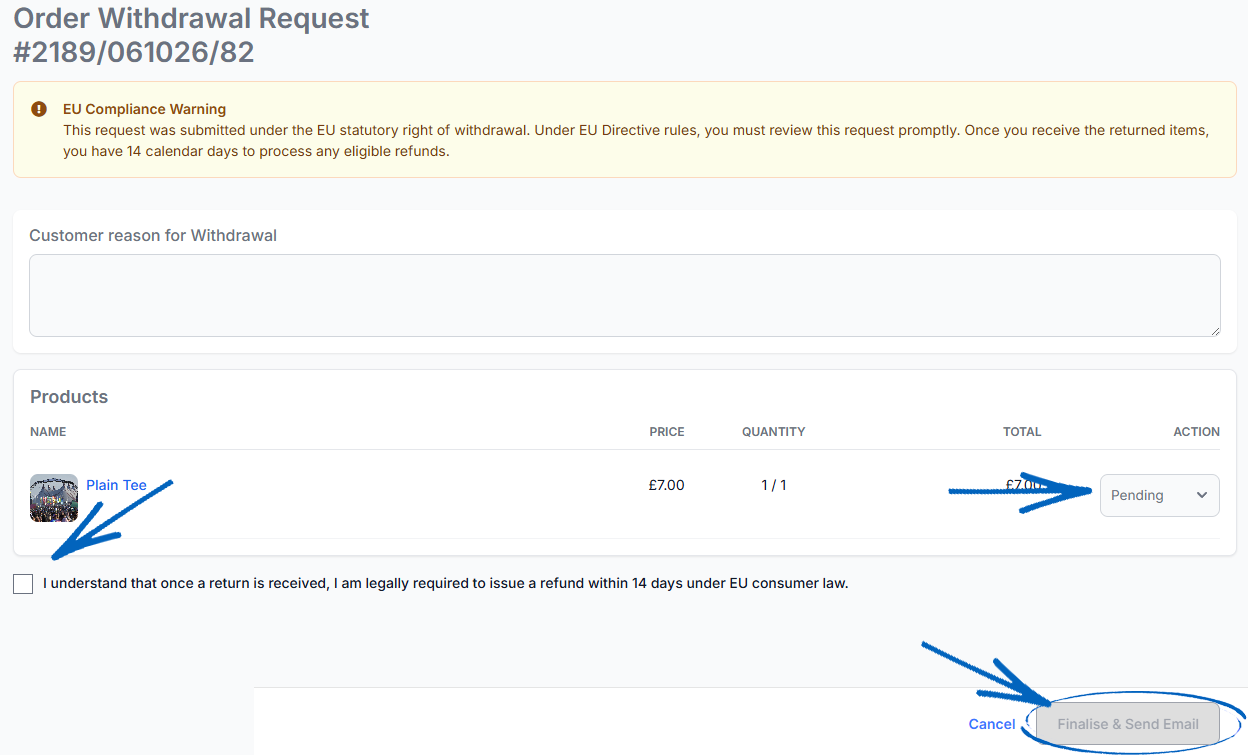
3. You’ll then see a modal appear, displaying a preview of the email which will be sent to your customer. Click Send: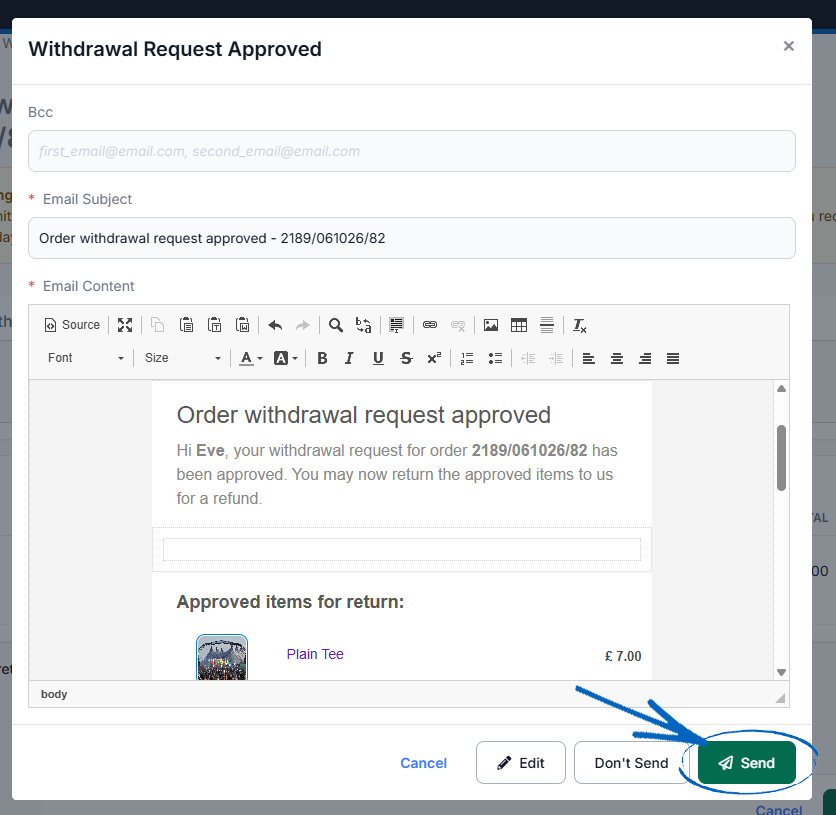
[tips]You can customise and edit the emails sent as part of the withdrawal process on the Outgoing Emails page within the settings of your EKM online shop. [/tips]
Rejecting a Withdrawal
1. If you opt to reject the withdrawal, you’ll see a drop-down menu appear on the left-hand side, which allows you to select your reason for rejection: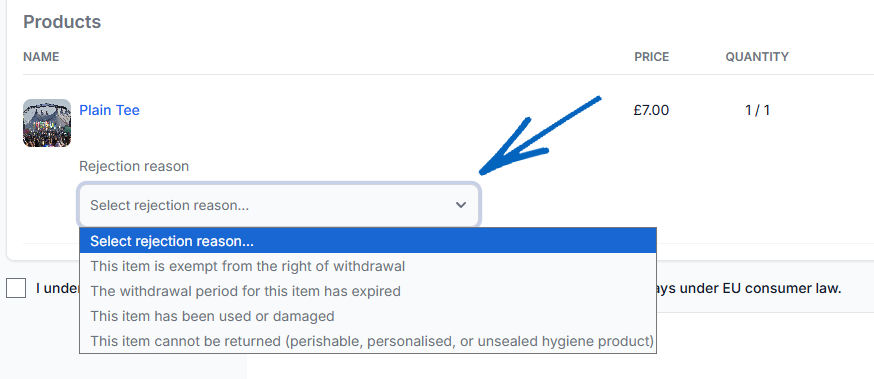
2. After making your selection, tick the box on the left and then click the Finalise button in the bottom right-hand corner: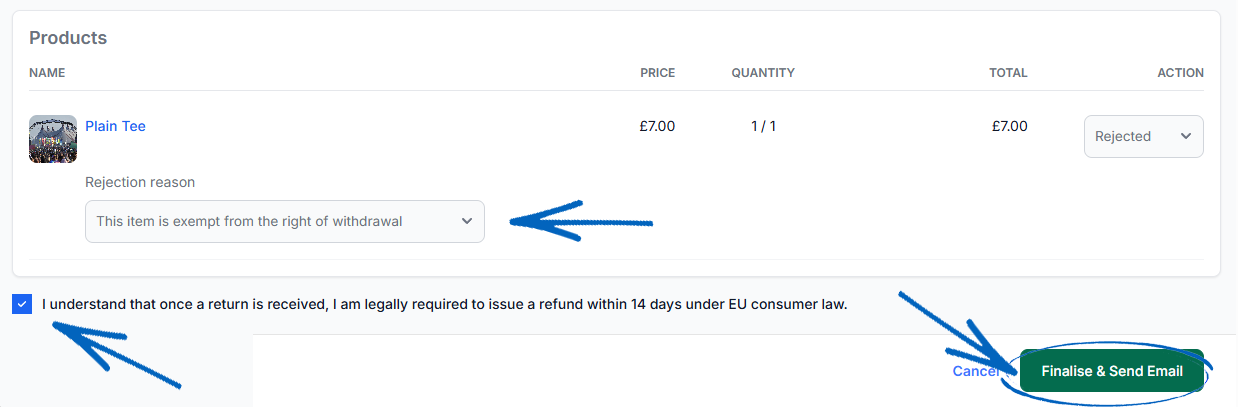
3. You’ll then see a modal appear, displaying a preview of the email which will be sent to your customer. Click Send: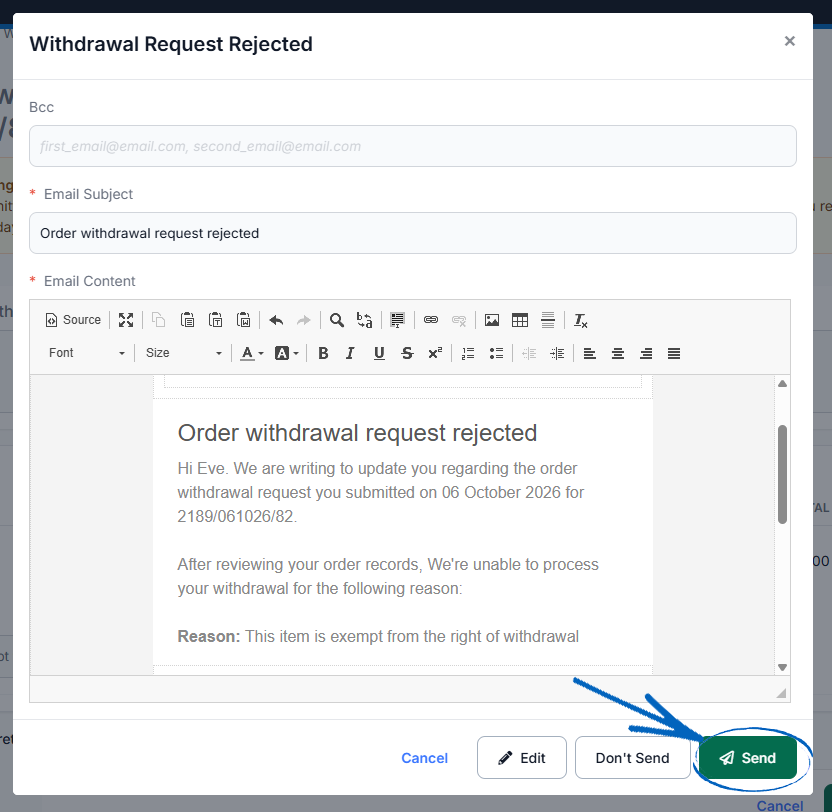
[remember] Update your Returns & Refunds webpage with details of your Right of Withdrawal policy so customers are aware. [/remember]
[more]
[/more]
[contact]If you need our help with your EKM online shop, contact the Customer Support Team, who can point you in the right direction. Our opening hours are 9 am - 5.30 pm Monday to Friday, for telephone calls, live chats, and emails. Outside of these hours, you can leave a message for us in the live chat window or email support@ekm.com, and we will answer as soon as possible. If you'd like to suggest a feature or an upgrade on any of the EKM platforms, please let us know on the EKM Suggestions Board. [/contact]